







Connect your accounting software
PlannedSync with tools such as QuickBooks and Xero is planned, not available today. For now, workspaces with Accounting access can prepare period exports for their accountant.
Organize income and expenses, review receipts, and ask questions about your business—all in one workspace.
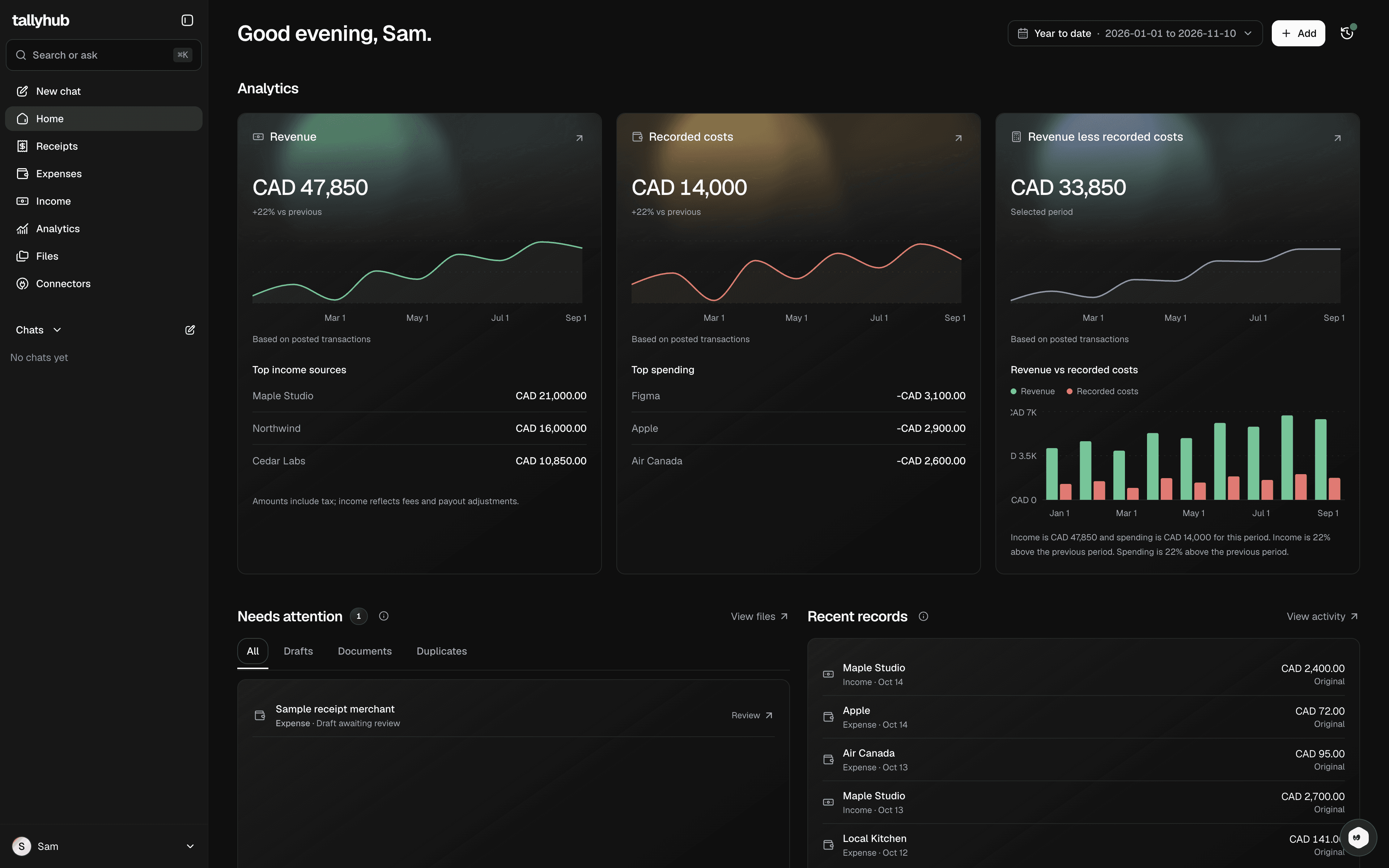

One place for your income, expenses, and the documents behind them. Built for Canadian small businesses, with you in control.
Receipts, invoices, and commission statements. Bring them together, with the originals attached.
Upload photos, PDFs, and statements. Group documents for one record or prepare separate drafts.
Ask Tally to find receipts in your connected Gmail, without digging through your inbox.
Add income or an expense by hand. Attach a source when you have it. No connection required.
A prepared draft is a starting point, not a final answer. Check it against the original and post when you’re ready.
Compare each draft with the receipt, invoice, or document behind it.
Check amounts, dates, categories, and recorded GST/HST before posting.
Unfinished drafts stay separate from the activity in your reports.
Office supplies
Expense draft
Check the suggested category and tax details before posting.
Ask about your recorded activity. Follow the sources behind an answer, or turn a request into a draft.
Explore your saved activity with the supporting records in the conversation, so you can check the answer.
Get the merchant, amounts, tax details, and a suggested category in a draft. Review it before posting.
Describe the work and add your business details. Preview the invoice, then download it.
See income and recorded costs over time. Open the records behind a total, with unfinished work kept separate.
Follow trends, top income sources, and spending from posted records. Your dashboard reflects recorded activity, not a live bank balance.
Open a record beside its original document. Check uncertain details without losing your place.
Export receipts as CSV or Excel to share with your accountant. Period reports and tax-detail exports require separate Accounting access.
Tally for iPhone puts your paperwork in reach. Capture a receipt, review a draft, or pick up where you left off.
Join with Google, then tell us about your business in the optional survey. Invitations are approved separately; a public iPhone download is not available yet.
Receipts in Gmail. Client details in Airtable. Agreements in Google Docs. Keep that context close to your financial records.
You choose what to connect. Tally only works with the information you authorize.
Upload PDFs and receipt photos. Keep the original beside the draft you review.
Find receipts, invoices, and payment conversations in the inboxes you connect. Ask Tally to find the context you need.
Illustrative connections. Available tools depend on workspace access and permissions. Connecting a tool does not automatically import or sync every financial record.
Sync with tools such as QuickBooks and Xero is planned, not available today. For now, workspaces with Accounting access can prepare period exports for their accountant.
Bank connections are planned to bring account activity alongside your financial documents. Automatic bank feeds and reconciliation are not available today.
Income, expenses, and recorded GST/HST, with the documents behind them. Built for self-employed Canadians and small teams.
Track client income, commissions, fees, and business costs.
Explore income and expensesSee the clients and costs behind changes in your recorded activity.
See Tally at workShare receipt exports and keep source documents close. Period reports require Accounting access.
Understand accounting availabilityHow Tally fits into your day, what it can help with, and what to expect from early access.
Have another question? Get in touchBe among the first to try Tally. Join the waitlist for early access.
In development. Google sign-in is required. Access is granted separately.